

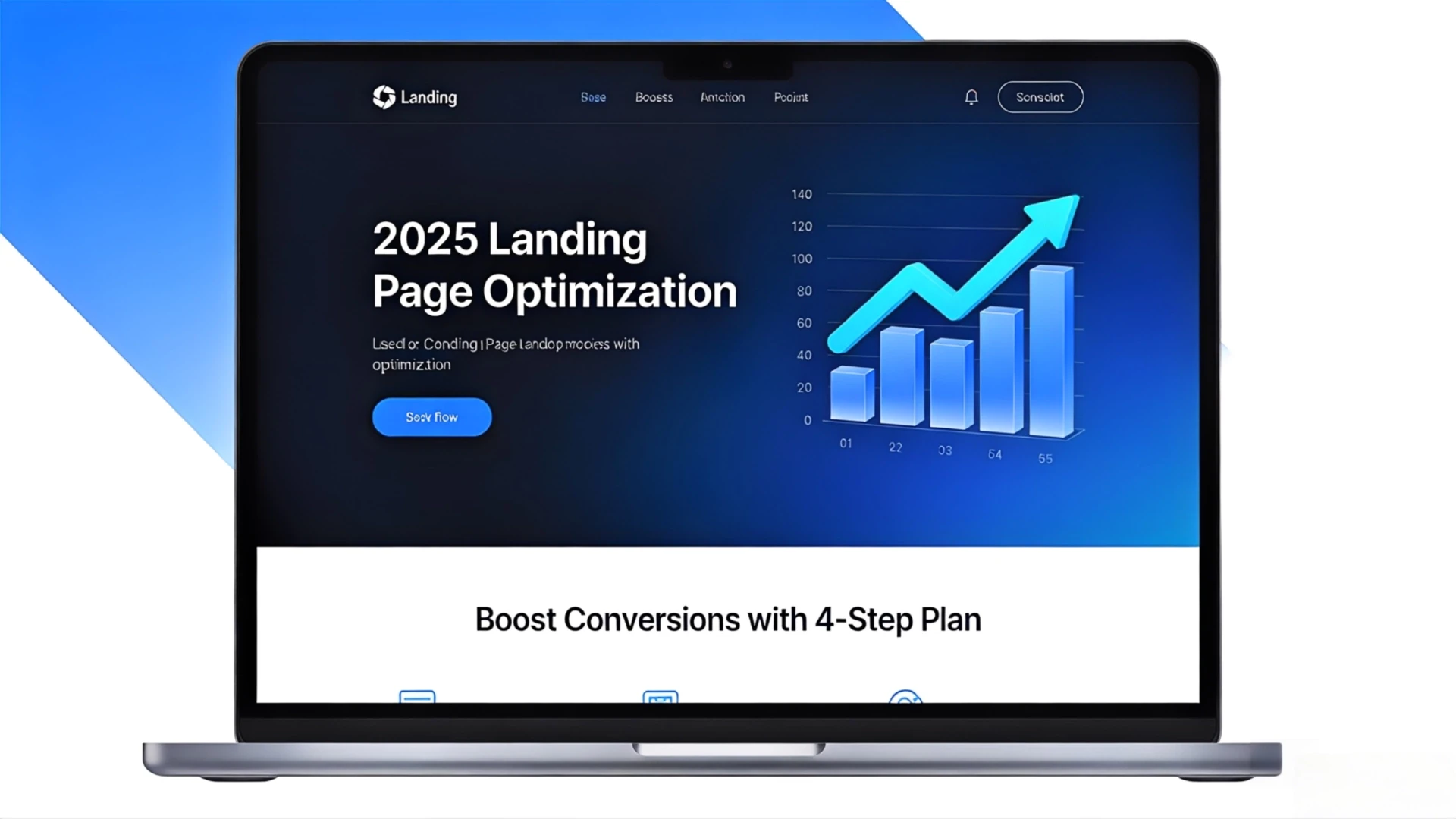
Landing pages are key sales tools. Bad ones cause high bounce rates and lost revenue; good ones boost conversions.

xd wang
Dec 9, 2025
xd wang
UI/UX Specialist
Framer & Aura template expert Helping founders launch websites in 7 days. Google-certified UX designer focused on high-conversion templates. Exclusive template
Follow Author
Related Posts

Let’s be brutally honest for a second. Your landing page is probably your best salesperson. It works 24/7, never calls in sick, and has the potential to speak to thousands of customers at once.
So why, for the love of all that is holy, have so many small businesses hired a mumbling, poorly-dressed intern for the job?
That’s what a bad landing page is. It’s an awkward, confusing, and ultimately unconvincing pitch that sends potential customers running for the digital hills. Statistics say you have about 3-5 seconds to capture someone's attention online. Most businesses fail in the first two.
This isn’t just about making things “look pretty.” This is about money. It's about survival. And it’s about time we stopped treating our most critical digital asset like an afterthought.
The Digital Junk Drawer: Why Most Landing Pages Fail
Before you get defensive, let’s establish a safe space. It’s not entirely your fault. As a small business owner, you’re the CEO, the janitor, the therapist, and the social media manager. The website often becomes a digital junk drawer—a place where you throw every idea, every service, every company photo from the 2017 holiday party.
"We need a banner for the sale!"\
"Don't forget the pop-up for the newsletter!"\
"My cousin said carousels are cool, let's add five!"
The result is a chaotic mess that tries to be everything to everyone and ends up being nothing to anyone. It’s a classic case of good intentions paving the road to a 75% bounce rate. Your user arrives, eyes wide with hope, and is immediately assaulted by a wall of text, conflicting calls-to-action, and a photo of your dog wearing a tiny hat. They don't know where to look, what to click, or why they should care.
And poof. They're gone.
The High Stakes of a Handshake: What a Bad Landing Page Actually Costs You
A landing page isn't just a page; it's a digital handshake. A weak, clammy handshake makes a terrible first impression. A firm, confident one starts a relationship.
Let’s translate that into numbers you can feel in your bank account.
Imagine you spend $1,000 on social media ads to drive 500 people to your site.
Bad Landing Page (70% Bounce Rate): 350 people leave instantly. Your effective cost to get a user to even consider your offer just jumped to $6.67 per person. Of the remaining 150, maybe 2% convert. You get 3 sales.
Good Landing Page (35% Bounce Rate): Only 175 people leave. Now you have 325 people looking around. Your clear design and compelling copy boosts conversion to 5%. You get 16 sales.
Same ad spend, five times the revenue. This isn't theoretical; it's the daily reality of UX design.
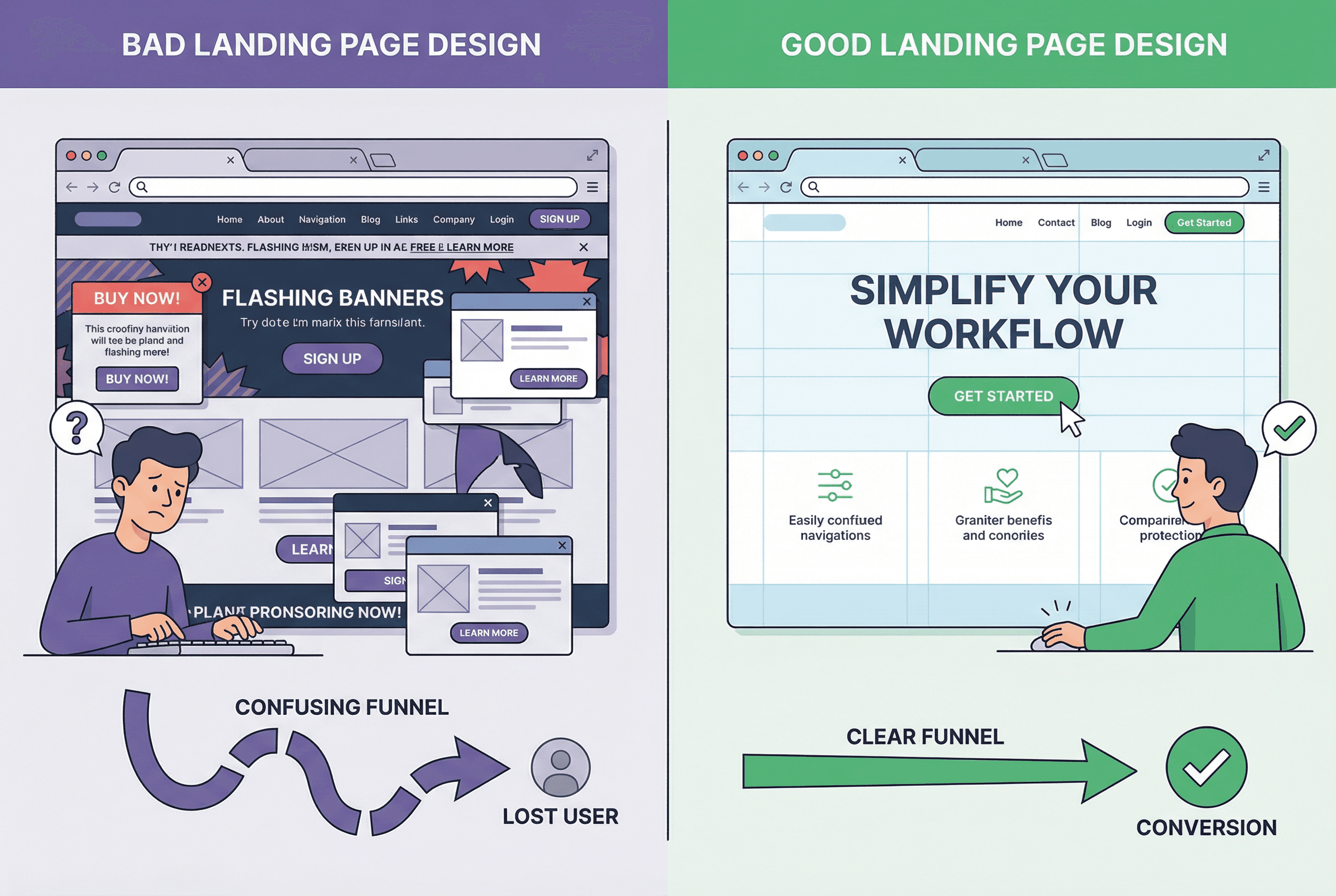
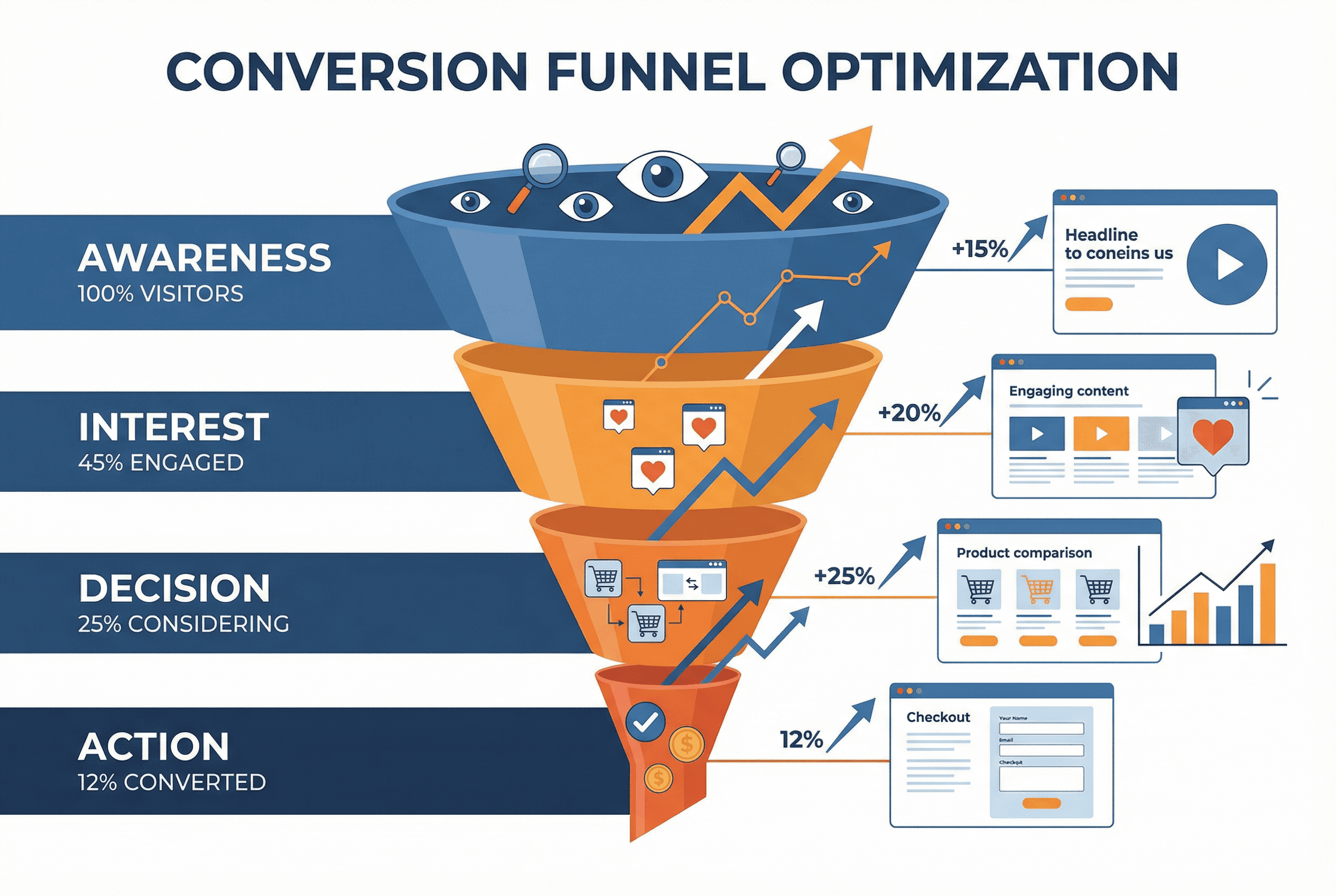
A poorly designed page breaks the conversion funnel at the very first step. It’s like setting up a beautiful storefront but bricking up the front door.
One Size Fits None: Landing Pages for Your Specific Business
Your landing page’s job changes dramatically depending on what you sell. A yoga studio and an e-commerce store need to communicate in fundamentally different ways.
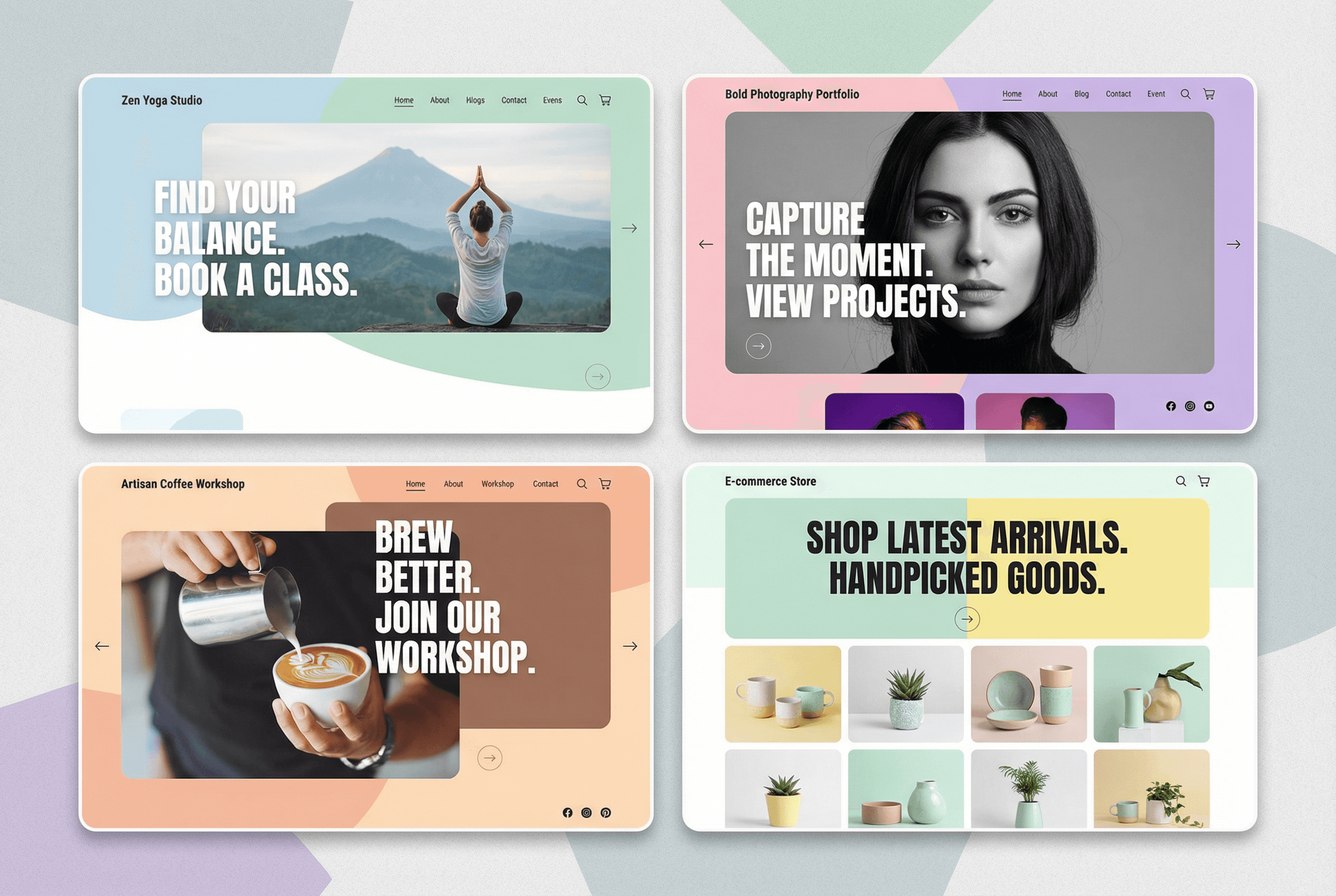
For E-commerce Shops: The Trust Game
Your primary goal is to overcome the “I can’t touch it” problem.
Job #1: Build Trust. High-quality product photos from every angle, customer reviews with photos, secure payment logos, and a clear return policy are non-negotiable.
Job #2: Reduce Friction. The path from "Ooh, shiny!" to "Thank you for your order" should be stupidly simple. A prominent "Add to Cart" button, guest checkout options, and a one-page checkout process are your best friends.
For SMEs & Corporate Showcases: The Credibility Play
You’re not selling a product; you’re selling competence.
Job #1: Establish Authority Instantly. Your headline must state your value proposition clearly. Who you help and what problem you solve.
Job #2: Provide Proof. Logos of clients you've worked with ("As seen on..."), testimonials from decision-makers, and concise case studies are your currency. Your landing page is a resume, not a novel.
For Yoga Studios & Wellness Centers: The Vibe Check
People are buying a feeling, a community, an escape.
Job #1: Sell the Serenity. Use calming colors, beautiful imagery of your space (with people!), and testimonials that speak to transformation, not just exercise.
Job #2: Make Booking Effortless. The class schedule should be front and center. The "Book Now" button should be unmissable. Don't make people hunt for it after you’ve got them feeling all zen.
For Coffee Workshops & Artisan Brands: The Sensory Story
You’re selling an experience and a craft.
Job #1: Tell the Story. Where do the beans come from? Who is the master roaster? Use rich, warm imagery and evocative language that appeals to the senses. You're not selling coffee; you're selling the perfect morning ritual.
Job #2: Highlight the Craft. Show, don't just tell. Photos of the process, details about the unique techniques—this is what justifies a premium price and builds a loyal following.
For Photography Portfolios: The Silent Curator
Your work is the hero. The landing page is the gallery wall—it should be invisible.
Job #1: Get Out of the Way. A minimalist design with a heavy focus on white space is key. Your navigation should be simple and intuitive.
Job #2: Be Fast. Nothing kills a portfolio faster than slow-loading, high-resolution images. Optimize your images for the web without sacrificing quality. Your landing page's only job is to present your art flawlessly.
Design Trends for 2025 That Actually Work (And Aren't Just Shiny Objects)
The design world is full of fleeting trends. Remember skeuomorphism? Parallax scrolling abuse? Here’s what’s sticking around because it genuinely improves user experience.
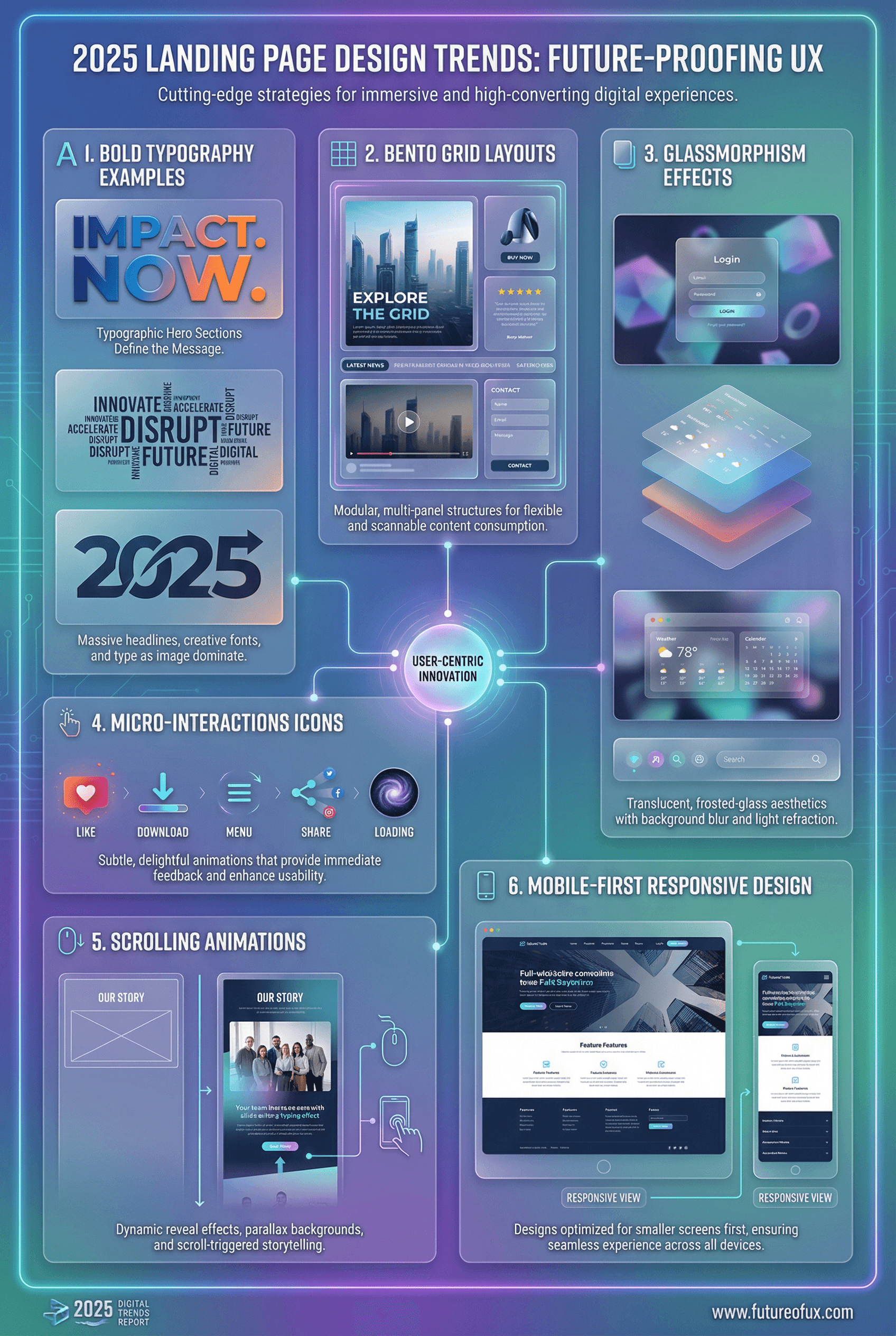
The Bento Grid: Popularized by Apple, this modular layout is perfect for businesses that need to present different types of information (e.g., a product, a testimonial, and a blog post) in a clean, organized way. It guides the eye without feeling restrictive.
Typography with Personality: We're moving away from sterile, sans-serif-only designs. Bold, oversized, and even quirky serif fonts are being used to give brands a unique voice right from the headline. It's the digital equivalent of a confident tone of voice.
Micro-interactions that Matter: These are the small animations that provide feedback. A button that changes color on hover, a checkmark that animates when a form is complete. They make a site feel alive, responsive, and thoughtfully built. Subtlety is key—it should feel helpful, not like a Michael Bay movie.
Speed as a Feature: This isn't a trend; it's a fundamental requirement. Every millisecond of load time you shave off is a potential customer saved. Google prioritizes it, and users have the attention span of a gnat. Your site needs to be fast.
Mobile-First, Not Mobile-Afterthought: Over 60% of web traffic is mobile. Yet so many people design for a desktop and then try to cram it onto a phone. Stop doing this. Design for the thumb first. This forces you to prioritize what's truly important and leads to a cleaner design for all screen sizes.
The Expression Framework: It's Not What You Say, It's How You Say It
A great landing page communicates on multiple levels, most of them subconscious.
Visual Hierarchy: The Squint Test
Do this now: look at your landing page and squint your eyes until it's blurry. What stands out? Is it your main headline and your "Buy Now" button? Or is it a random stock photo and your social media icons? Your design should visually scream what's most important. If it doesn't, it's failing.
Copy That Converts: Stop Sounding Like a Robot
Your landing page copy is a conversation. Write like you speak.
Headline: Focus on the benefit to the user, not the feature of your product. Instead of "Our Patented Hydro-Weave Technology," try "The Last Umbrella You'll Ever Buy."
Body: Use short sentences. Use bullet points. Address the user directly ("You'll feel..." not "Customers will feel...").
Call to Action (CTA): Be specific. "Contact Us" is lame. "Get Your Free Quote Now" is an action. "Start Your 7-Day Free Trial" is a promise.
Color Psychology: The Unspoken Language
Color choices aren't arbitrary. They evoke emotion.
Blue: Trust, security, professionalism (perfect for a corporate or financial site).
Green: Health, nature, peace (hello, yoga studio).
Orange/Yellow: Urgency, optimism, fun (great for CTAs or youth-focused brands).
Black/Gold: Luxury, sophistication, exclusivity (e-commerce for high-end goods).
White Space: The Power of Nothing
White space (or negative space) is not "empty" space. It's breathing room. It's the most powerful tool you have for drawing attention to what matters. A cluttered page screams "discount bin." A page with generous white space whispers "premium quality."
A Simple, 4-Step Plan to Get Started
Feeling overwhelmed? Don't be. Here's a practical way to approach your redesign.
Define the ONE Goal. What is the single most important action you want a user to take? Write it on a sticky note and put it on your monitor. Every element you add must support this one goal. If it doesn't, kill it.
Write the Copy First. Before you even think about colors or fonts, write your headline, your key benefits, and your CTA. This forces you to clarify your message. The design should serve the words, not the other way around.
Sketch it Out (On Paper!). Grab a pen and paper and draw a low-fidelity wireframe. Where does the headline go? The button? The key image? This is faster than any software and helps you focus on layout and hierarchy.
Build, Test, and Iterate. Use a modern website builder (like Webflow, Framer, or Squarespace) that allows for flexibility. Then, show it to 3-5 people who are not your mom. Ask them, "What is this page for?" and "What would you do next?" Their answers will be more valuable than a thousand design articles.
The Hall of Shame: Landing Page Pitfalls to Avoid
The Carousel of Indecision: "I have five important things to say, so I'll put them in a slider that nobody will ever watch past the first slide!" Pick one. The most important one.
"Mystery Meat" Navigation: Vague navigation labels like "Solutions," "Resources," or "Insights." Call it what it is: "Pricing," "Blog," "Case Studies." Clarity trumps cleverness every time.
The Wall of Text: You wrote a beautiful 1,000-word essay on your company's history. Wonderful. Put it on the "About Us" page. Your landing page is the movie trailer, not the full-length film.
Ignoring the Fold: The "fold" still matters. Your core value proposition and primary CTA must be visible without scrolling. Assume your users are lazy. You'll usually be right.
Your Landing Page is a Conversation
In the end, it comes down to this: A landing page is not a digital brochure you fling into the void. It’s the start of a conversation with a real human being who has a problem you can solve.
Your job is to greet them warmly, understand their needs, speak their language, show them you’re trustworthy, and clearly point them in the right direction.
Stop building pages. Start having conversations. The apathetic intern has been fired. It's time to let your best salesperson do its job.
#WebDesign
#Framer
Impact-Site-Verification: 338ad259-3a0b-476c-a467-cb119844ba7d